When the final whistle blows, the event is over for almost everyone. For the photo desk, the hardest part of the night is just starting.
Thousands of frames sit on an FTP server. Editors drag files between folders, sync Dropbox libraries back and forth, and redo each other's selects because nobody can see what anyone else has touched. Then someone opens a browser and checks the gallery frame by frame to see whether the athlete tags actually stuck.
A couple of years ago, Andrew Wevers asked us a simple question: did ScorePlay have a way that an editor could see their images without leaving Photo Mechanic? We didn't, and it wasn't on the roadmap. So he built it himself.
Using ScorePlay's open API, he made two macOS tools with ScorePlay wired in as a first-class destination:
IngestFlow, which gets images into ScorePlay with nobody babysitting a folder; and
FrameFlow, a live editing desk where a whole crew works the same shoot at once.
The two apps are independent: each is licensed and used on its own. IngestFlow is the lightweight, unattended delivery tool for desks that just need images moved from remote FTP servers, edited, then into ScorePlay reliably; FrameFlow is the full live editing desk, with its own ingest and delivery built in. Some teams run one, some run both.
That's exactly what ScorePlay Connect is for: the people closest to the work extending the platform in ways we'd never build for each of them one by one.

IngestFlow: getting photos in, without a human in the loop
IngestFlow is the reliable file-mover. It watches the folders and servers a desk already works from, waits until each frame is fully written, and gets it where it's going fast, without anyone babysitting a transfer.
Who it's for.
Photographers and photo desks moving high volumes of images into ScorePlay on deadline.
The problem.
Getting a live photo into the right ScorePlay collection has always meant a person in the loop: open the browser uploader, find the event, drag files, repeat.
Live routing is faster, but you have to correlate collection IDs with assets, build the galleries in advance, set the keywords just so, and push every change back through the workflow. It's tedious, easy to get wrong, and it compounds event after event.
At a five-day tournament with 210k+ frames, that's a lot of points of failure: batches in the wrong collection, a backlog silently dropped after a network hiccup, half-written files uploaded mid-copy, and no clean record of what actually landed.
What he built.
With IngestFlow, saving a file into a folder is the delivery. It watches the folders editors already work in, and the moment a finished image lands, it's uploaded straight into the ScorePlay collection the team chose.
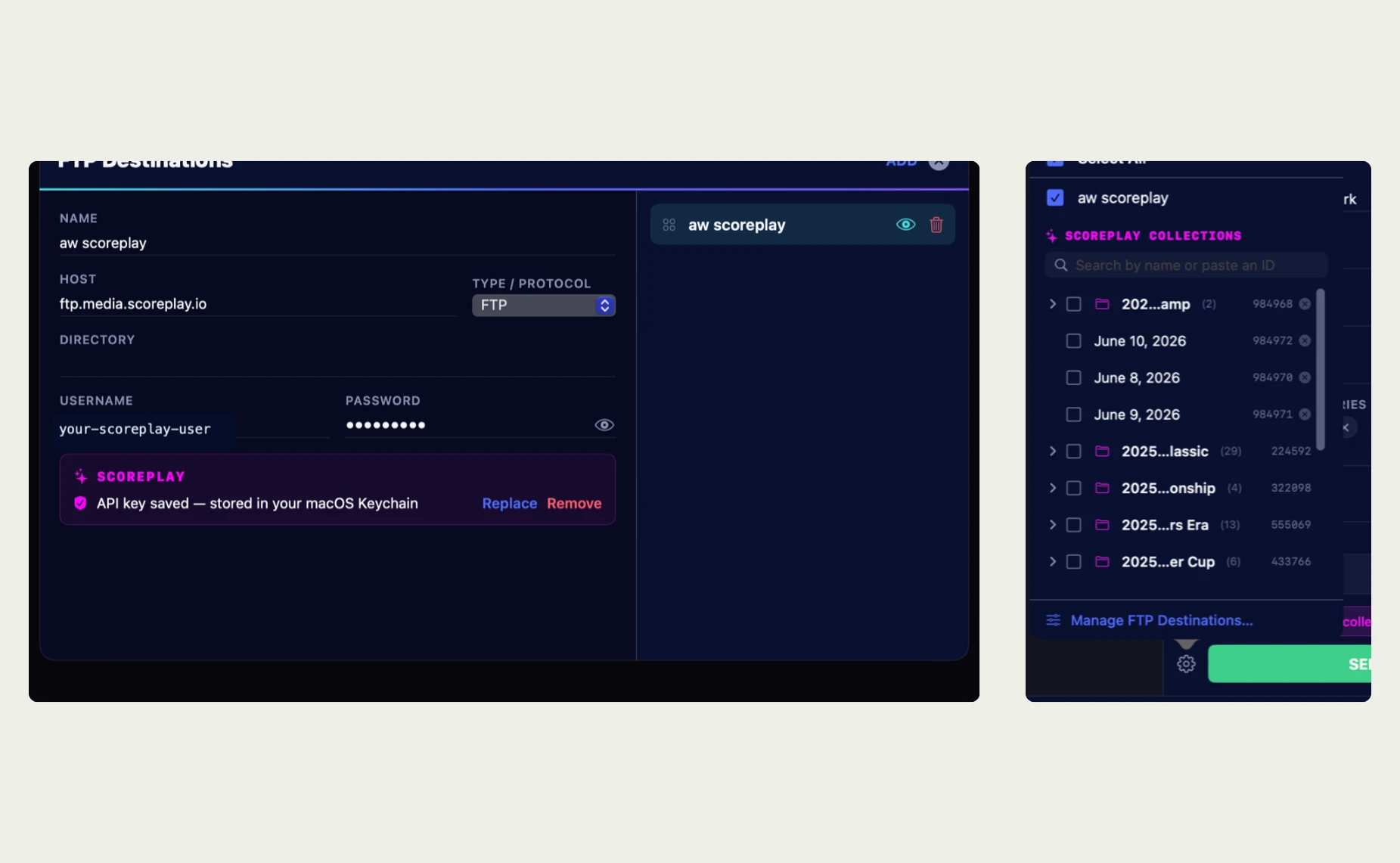
The editor picks that destination once, in-app, from a live search of their ScorePlay collections: no keywords, no external collection IDs, no setup calls to an account manager. A completeness check runs first, so only fully written frames ever upload, and a sent-ledger prevents duplicates and pushes a backlog through cleanly after a dropped connection.
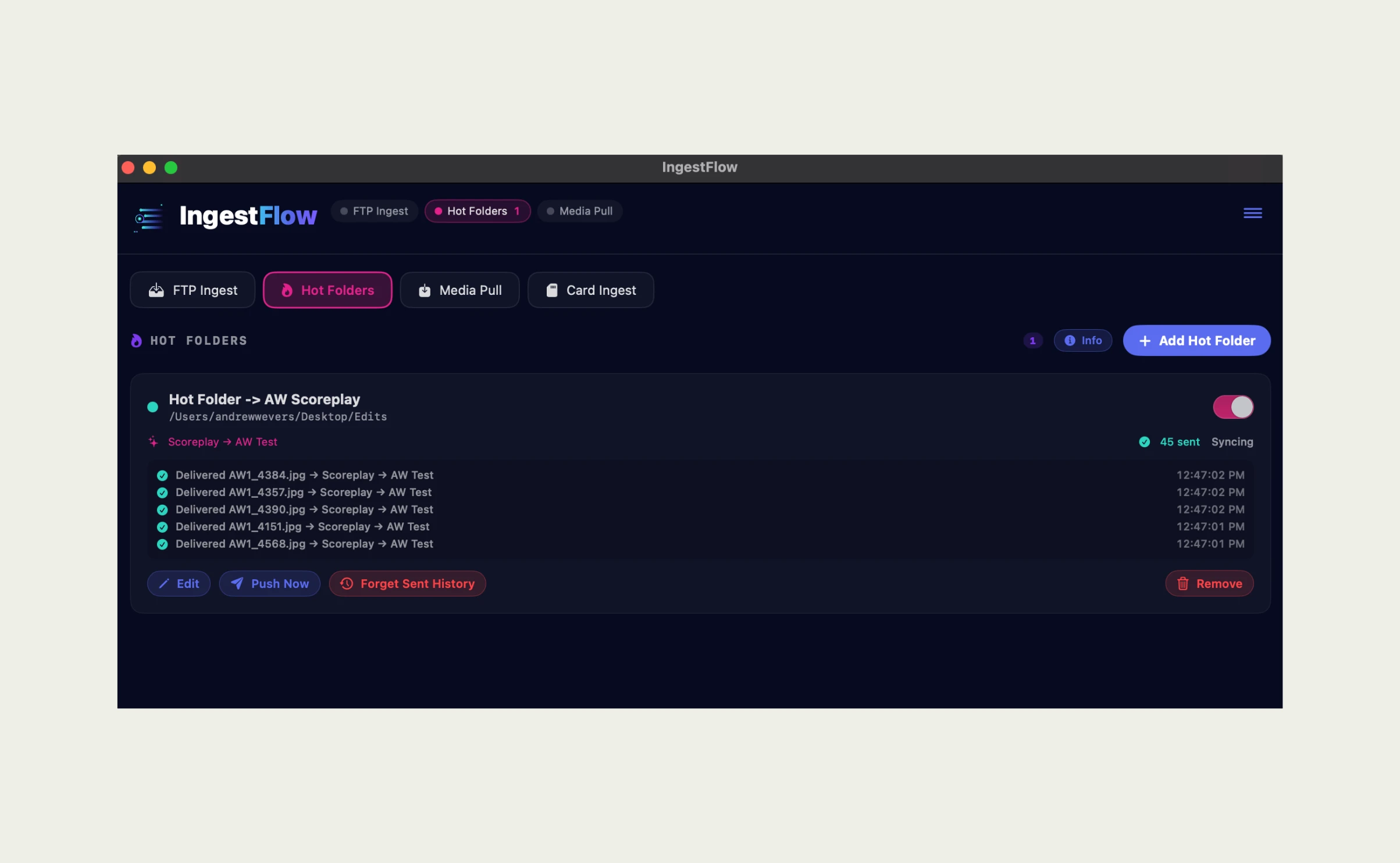
The result.
The editor opens Photo Mechanic or Photoshop, edits, saves to the final edits folder. Everything else takes care of itself.
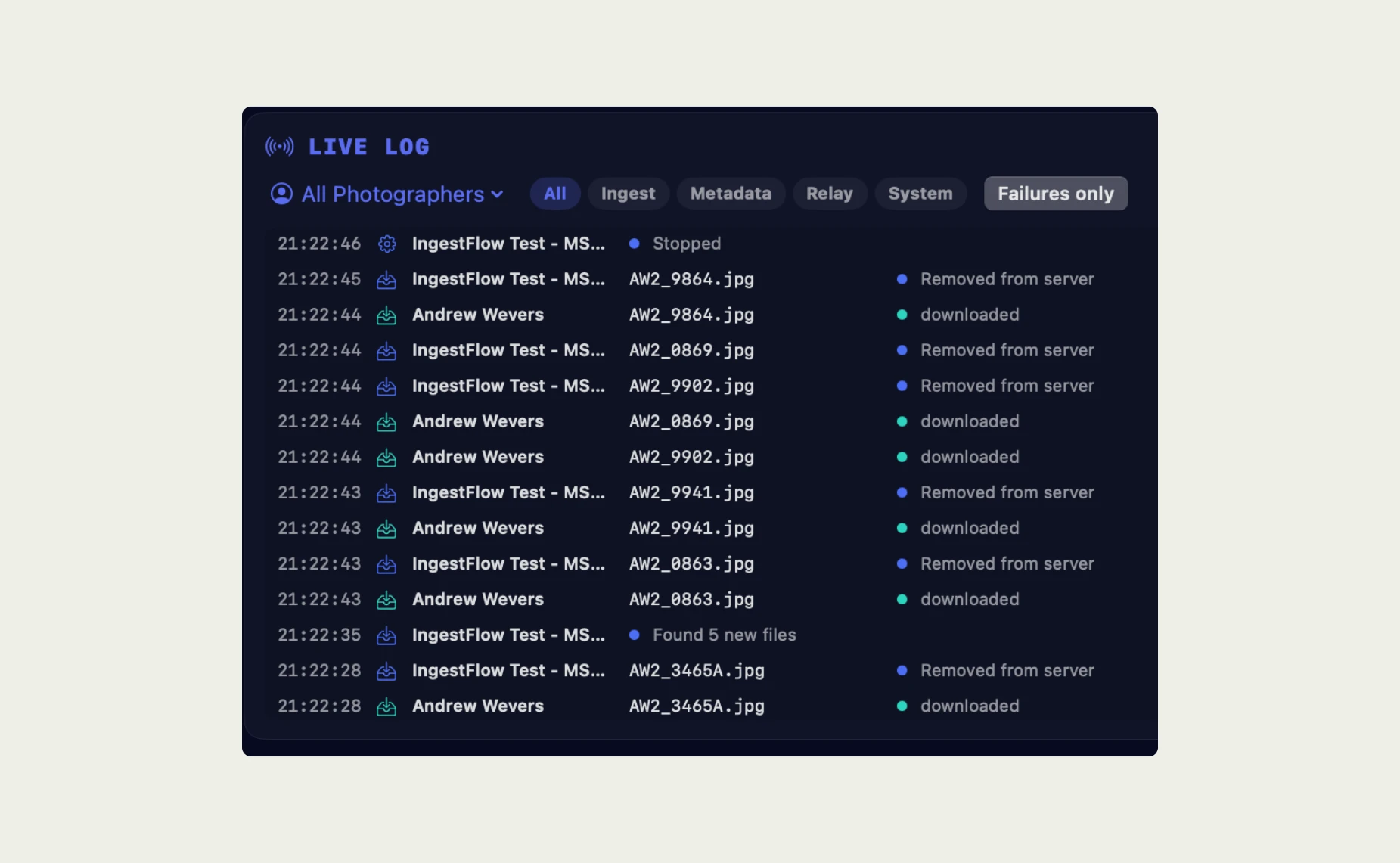
FrameFlow: a live editing desk, in sync with ScorePlay
FrameFlow is the live editing desk for a whole crew working one event: everyone works the same shoot at once, with selects, ratings, captions, and tags staying in sync in real time, so no folder syncing and no re-doing each other's selects.
Who it's for.
Crews covering an event together: photographers, editors, captioners, and whoever's running the tag audit.
The problem.
A live event has never been one person's job, but the tooling has always pretended it was.
Every editor works their own copy of the library, syncing folders back and forth, arguing over which one is current, re-doing selects nobody could see.
Parallel work means duplication, and duplication means mistakes on deadline.
What it is.
FrameFlow is the live editing desk for a whole crew working one event.
It makes the contact sheet a shared surface. Any number of photographers and editors join one live session and work the same library at the same time: selects, ratings, captions, tags, sends, and audit state propagate to every connected editor in real time.
That lets a crew split by role instead of by folder: one person culling, one editing, one captioning, one running the tag audit.
Same frames, same moment, no merge step and no file syncing. Photographers keep shooting and transmitting into the live session, and the desk sees new frames as they land.
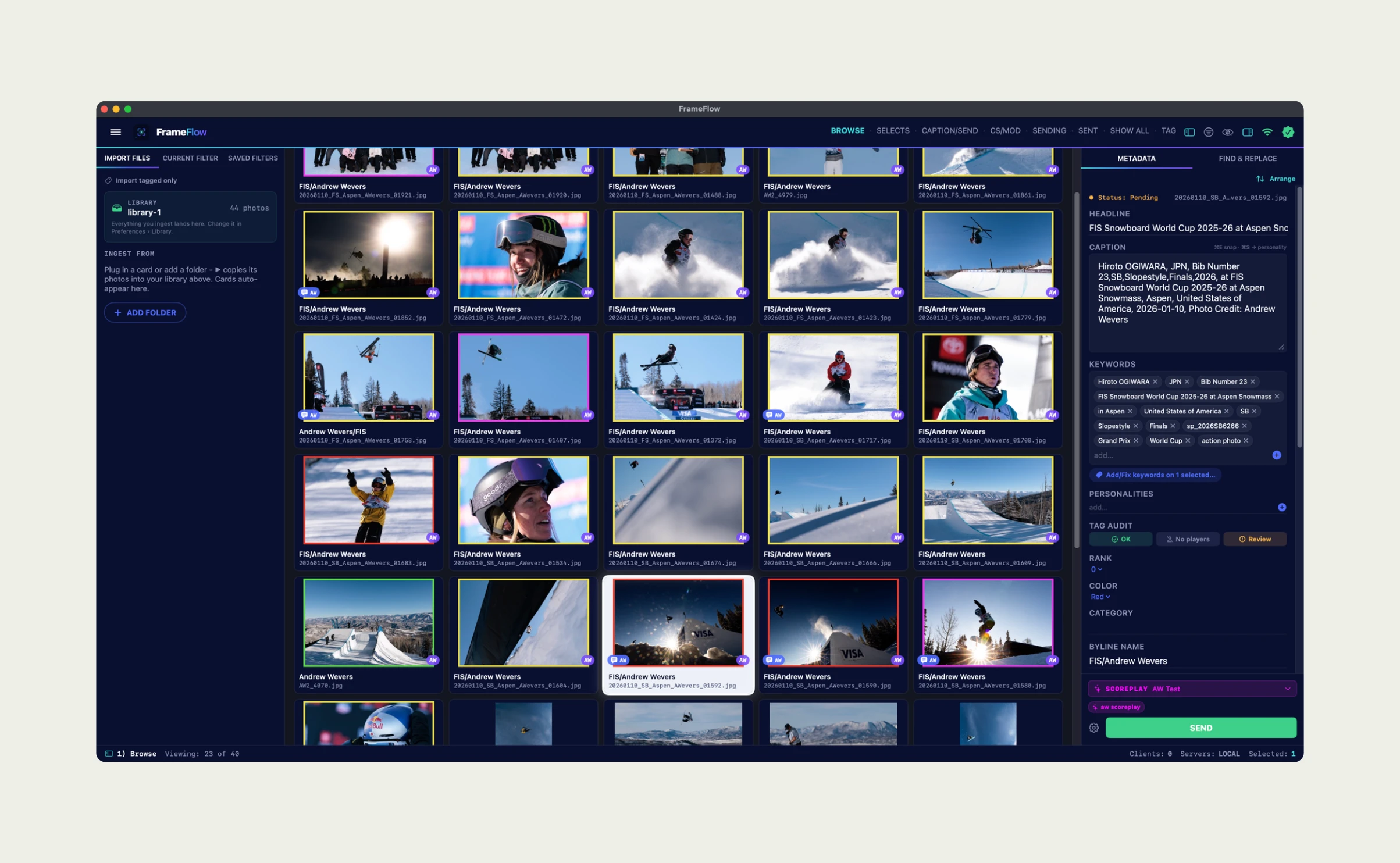
In sync with ScorePlay. FrameFlow doesn't just push to ScorePlay, it works with it in both directions. Selects go into a collection with one click, captioned and athlete-tagged.
FrameFlow then reads the delivered frames back to show what's actually there, and lets the team write changes straight back: adjust a tag, fix a caption, update metadata, all from inside the same tool.

Verifying athlete tags is where this gets powerful.
In sport, faces get hidden constantly: sunglasses on the tennis court, a racket or board in the way, a helmet in football, a bat across the frame in baseball. That's exactly when automatic tagging struggles.
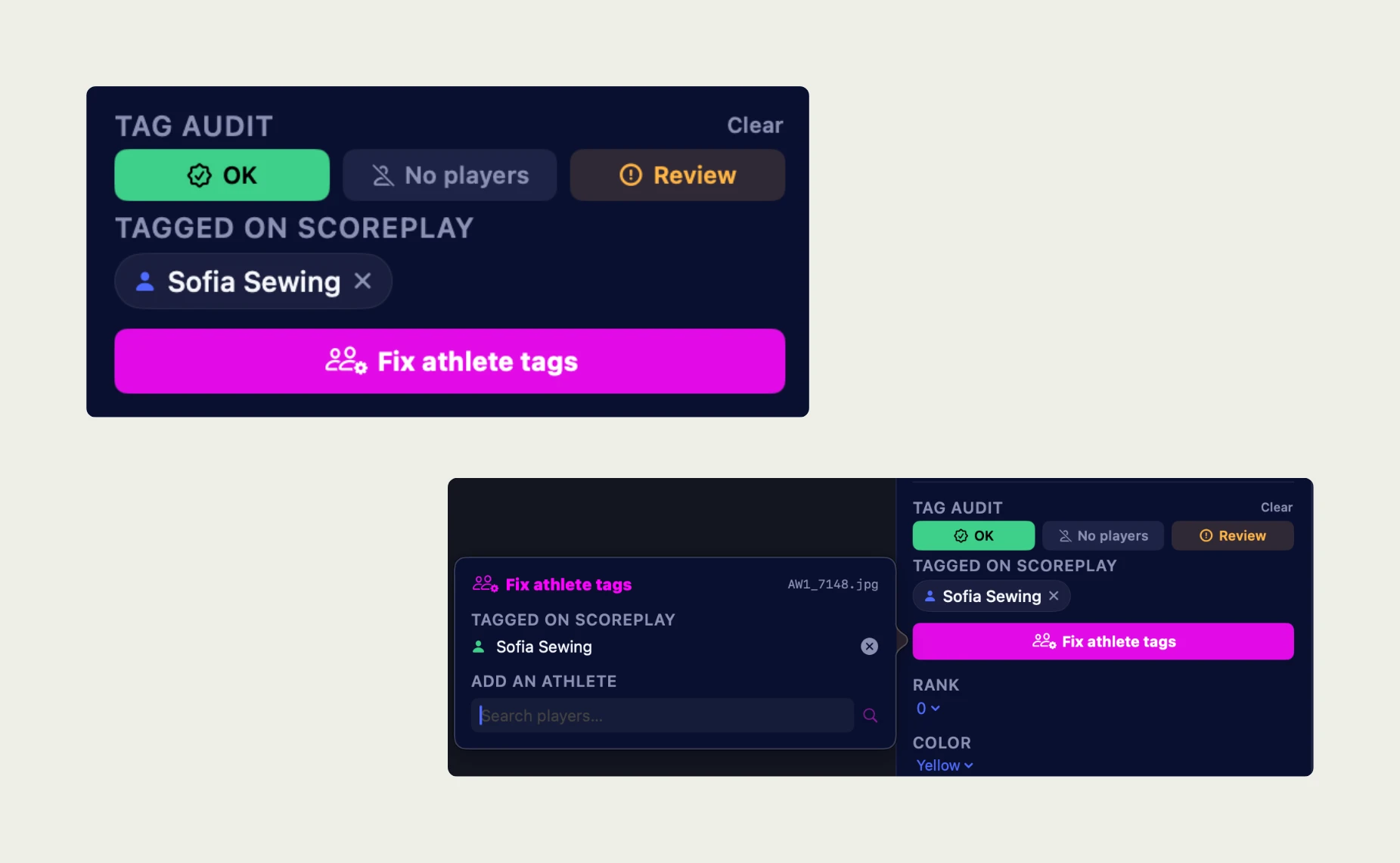
FrameFlow reads every delivered frame back, diffs the tags against the athletes the editor signed off, and surfaces each frame simply: OK, No players, or Review.
It also flags when a caption names someone different from who actually got tagged. Anything missing, the editor fixes right there, and the correction is written back through the API.
The QA pass happens once, for the whole team, without anyone opening a browser, and because tagging is asynchronous, FrameFlow waits out the platform's tagging lag instead of crying wolf on a frame that simply hasn't been processed yet.

Using Them Together
For teams that run both:
Photographers transmit from the field, and IngestFlow delivers each finished frame straight into the right ScorePlay collection.
The crew joins one live FrameFlow session - one culling, one editing, one captioning, one auditing tags - all on the same frames at the same moment.
Selects go into ScorePlay with one click, captioned and tagged.
FrameFlow reads every delivered frame back, verifies the tags, and repairs what's missing.
Minutes after the moment, the client has a complete, correctly tagged collection - ready for social and licensing.
Already in production.
Andrew didn't build this in a lab. IngestFlow and FrameFlow are running live with ScorePlay customers, week in and week out, on their own ScorePlay API keys:
Portland Timbers (MLS)
Houston Astros (MLB)
Utah Mammoth (NHL)
Three sports. three very different shooting calendars. The same workflow underneath.
Where ScorePlay fits.
Andrew's tools solve the last mile: getting photos from the camera into ScorePlay, and keeping the gallery clean, without anyone babysitting a folder or a browser tab.
From there, ScorePlay takes over - images are tagged and verified, rights and permissions are already in place, and social teams, athletes, and partners can pull what they need minutes after the moment happened. Speed on the way in, control once it's there.
Why build on ScorePlay?
Andrew had built on other media platforms before, but API access came with a high, unpredictable cost, and his support requests mid-tournament went unanswered - compromising his integrations.
With ScorePlay, API keys are open and free, and our engineering team points builders to the right approach. That's the point of Connect: the platform stays open to the people building on it.
Get it.
Contact Andrew to license IngestFlow and/or FrameFlow for your workflow:
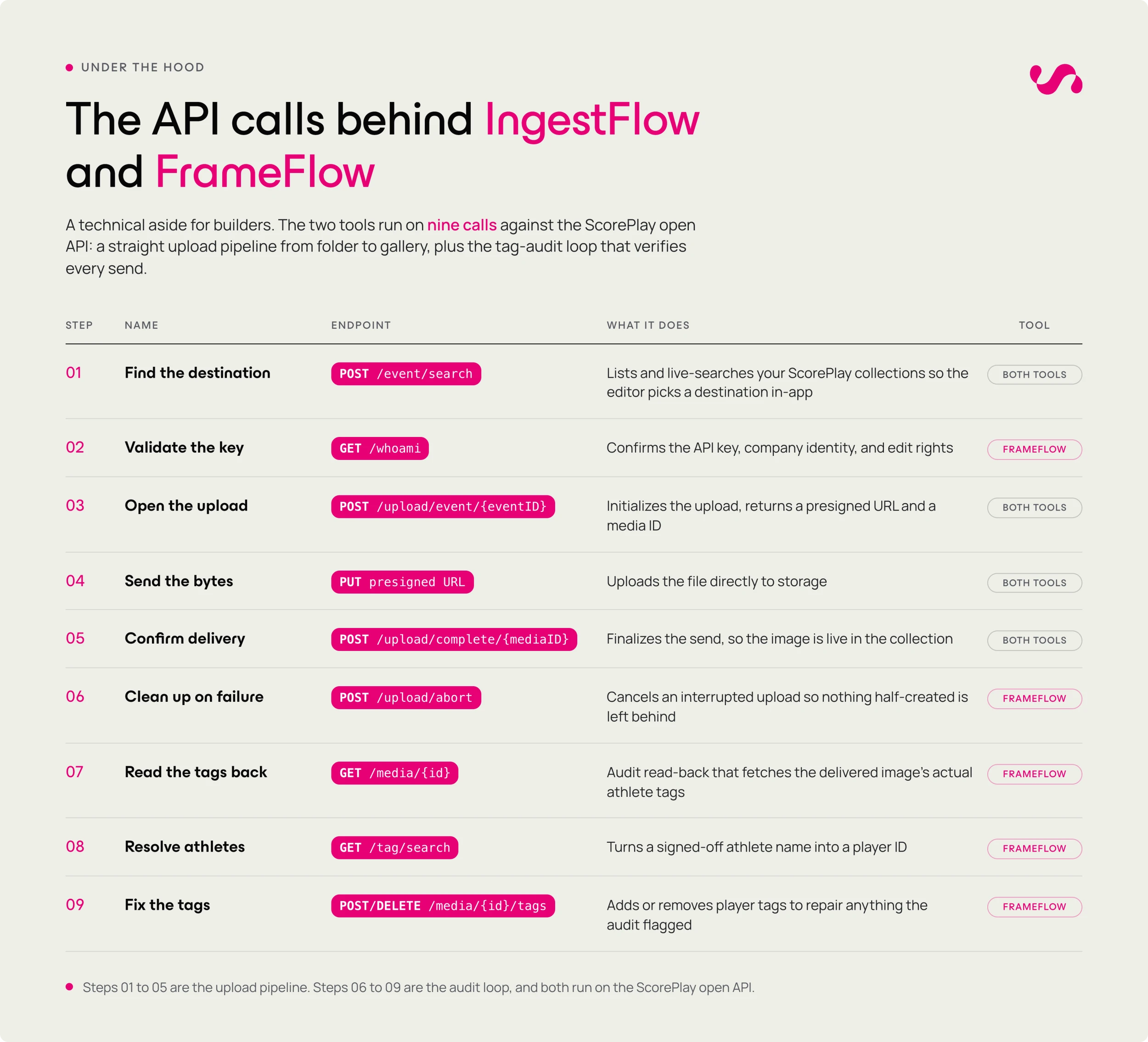
Authentication is a per-account API key, stored securely in the macOS Keychain. The ScorePlay integration is plain REST and JSON - no SDK required.
Building your own? Read Andrew's full API & architecture write-up: base URL, auth, the collection-discovery flags, the three-step upload payloads, and the complete tag-audit loop.